Reset your password
If you have forgotten your password, QAlity will send a reset link to your email address. The process takes less than a minute.
Steps
-
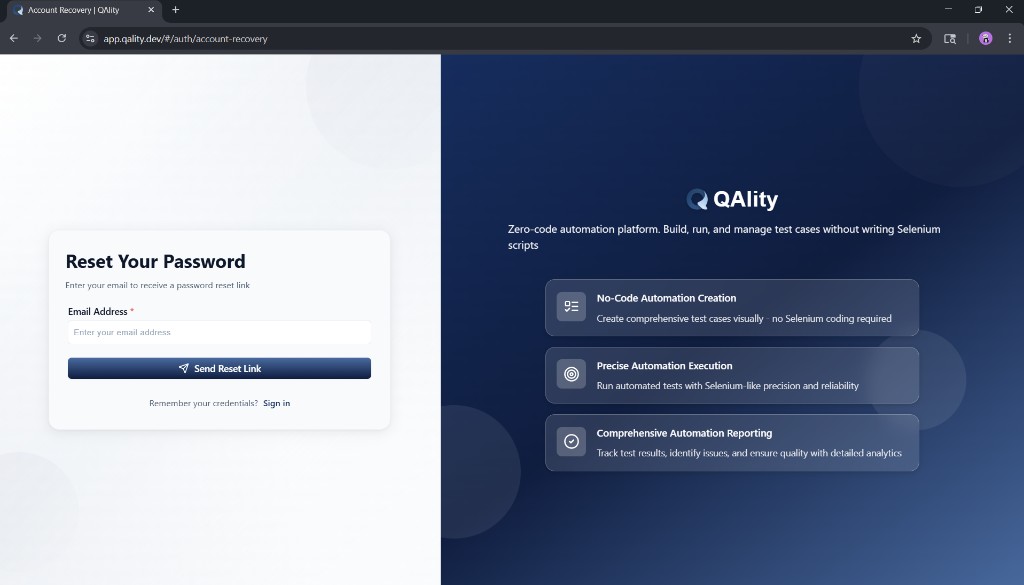
Go to the account recovery page
Open https://app.qality.dev/#/auth/account-recovery in Chrome. You can also get here by clicking Forgot password? on the login page.
-
Enter your email address
Type the email address you used when you registered your QAlity account into the Email Address field.
-
Click Send Reset Link
Click the Send Reset Link button. QAlity will send a password reset link to your inbox immediately.
-
Open the email and click the link
Check your inbox for an email from QAlity. Click the reset link inside it. Check your spam or junk folder if you do not see it within a few minutes.
-
Set your new password
You will be taken to a page where you can enter and confirm your new password. Once saved, you can sign in with your new credentials.
If you do not receive the email
- Wait 2 to 3 minutes and check again
- Check your spam, junk, or promotions folder
- Make sure you entered the correct email - the one you used when registering
- If you still do not receive it, contact your workspace admin or QAlity support
Reset link expiry
- The reset link sent to your email is valid for a limited time
- If the link has expired, go back to the account recovery page and request a new one
- Do not share the reset link with anyone
After resetting
- Once your new password is saved you are redirected to the login page
- Sign in with your email and your new password
- Your previous password will no longer work
Remembered your password? Go back to Sign in instead.