Case Priorities
Case priorities indicate the importance or severity of a test case. They are defined at the project level and shared across all versions in that project. When creating or editing a test case you can assign it a priority from the Priority dropdown in the Test Case Overview panel.
Default case priorities
QAlity provides a set of default priorities for every project:
| Priority | Description |
|---|---|
| Low | Minor issues with workarounds or low impact |
| Medium | Moderate impact issues that should be addressed |
| High | Significant issues affecting major functionality |
| Critical | Severe issues blocking core functionality or release |
Additional priorities such as Medium high and Medium low may also be available depending on project configuration. All priority names can be renamed and new ones can be added.
How to create a Priority
-
Open a project and open Case Priorities
Open a project and click the Case Priorities tab.
-
Click + Create Priority
Click + Create Priority in the top right.
-
Enter a name and description
Enter a name and description.
-
Save
Save.
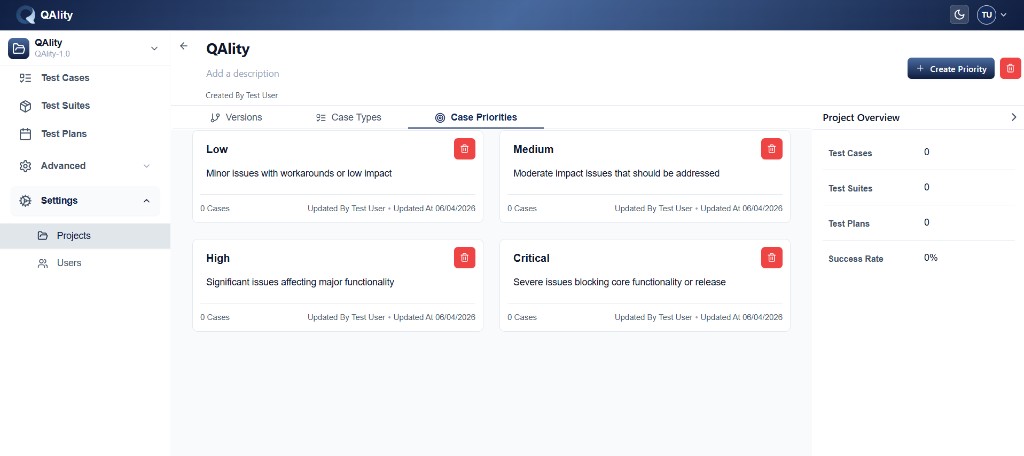
The new priority appears as a card and is immediately available in the Priority dropdown across all versions in this project.
How to rename a Priority
Click directly on the priority name on its card. Type the new name and save.
How to delete a Priority
Click the red trash icon on the priority card and confirm deletion.
Best practices
- Define priorities that reflect real severity levels for your product
- Keep names short and intuitive - testers should understand severity at a glance
- Add a description to each priority so the whole team applies them consistently
- Delete priorities that are no longer used to keep the list clean