Sprint time eaten by fixes
Every release includes a block of “unblock the pipeline” work instead of new scenarios.
Lost capacityMaintenance field guide
Selenium maintenance drains QA capacity after every UI release. This guide covers why upkeep piles up and how QAlity no-code automation and Auto-Heal reduce day-to-day WebDriver patching.
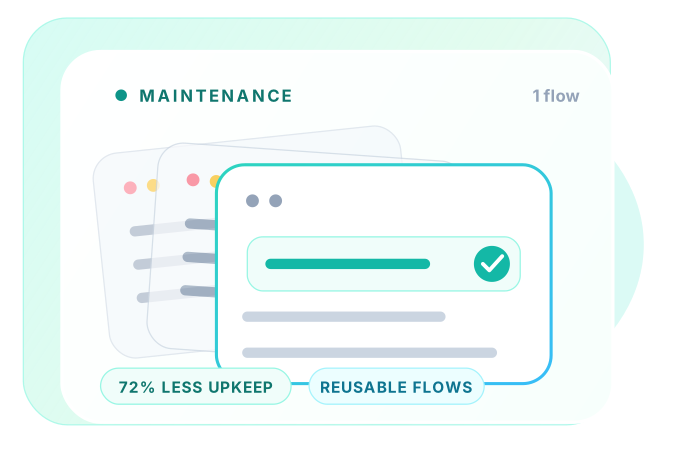 Reusable flows
72% less upkeep
Reusable flows
72% less upkeep
Real signals. Real impact.
High upkeep shows up long before anyone tracks hours explicitly.
Every release includes a block of “unblock the pipeline” work instead of new scenarios.
Lost capacityLogin, navigation, and setup duplicated across dozens of files - each breaks independently.
DuplicationTribal knowledge in custom frameworks makes maintenance a bottleneck.
Bus factorTeams avoid automating new flows because the cost of upkeep feels too high.
Coverage debtIdentify. Understand. Fix.
Maintenance spikes when selectors, flows, and ownership stay fragmented.
Every CSS or DOM tweak forces manual locator updates across many tests.
Without shared step groups or page objects, the same flow is maintained in many places.
Assertions on internal IDs or layout structure break when refactors do not change user-visible behavior.
UI ships without stable hooks or notice, so QA learns about breakage from red builds.
BEST PRACTICES
Lower maintenance is a design choice. Centralize flows, stabilize selectors, and let tools heal what shifts.
Agree on data-testid or accessible names with engineering and enforce them in new UI.
Login, cart, and admin setup should live once - as step groups or shared modules - and compose everywhere.
Validate visible text, URLs, and state users care about instead of class names that designers rename.
Let tools update selectors automatically and capture flows visually so non-developers can contribute safely.
Built for upkeep. Reduced by QAlity.
Maintenance drops when tests live in one UI, not in Git, and when locator repair happens during execution instead of in every file that referenced a moved button.
The problem
Hours spent editing test code, merging branches, and re-running broken builds after each release
How QAlity fixes it
Cases, steps, and suites sit in QAlity. You browse coverage, open a flow, edit steps visually, and re-run from the same screen. There is no parallel test codebase aging beside your application.
Everything in One WorkspaceThe problem
The same broken locator patched manually across dozens of tests
How QAlity fixes it
When a shared component moves, Auto-Heal detects failed selectors and applies AI-corrected XPath or CSS during execution, so one DOM change does not become a week of hand-editing every test file that touched that element.
How Auto-Heal worksRelated reading
Keep exploring related problem guides and platform comparisons for the same quality challenges.
 Questions, answered
Quick answers to the most common questions teams have before getting started with QAlity.
Selenium maintenance is the ongoing work of updating locators, fixing broken scripts, upgrading drivers, and keeping framework glue aligned with application UI changes.
UI changes ripple through many test files, shared components break multiple locators at once, and WebDriver layers add debugging time beyond the product defect itself.
Use stable selectors, page-object discipline, parallel ownership with developers, or move high-churn flows to no-code tools with Auto-Heal.
Yes. Visual editing and Auto-Heal during runs cut the hours spent hand-editing XPath and CSS in every suite that touched a moved button.
QAlity keeps cases in one workspace, heals locators during execution, and lets QA re-record flows without maintaining a separate Selenium repository.
Not always. Many teams keep Selenium for edge cases and move regression owned by QA to no-code platforms that reduce day-to-day script upkeep.
Identify the top ten flows that break after every release and migrate them to recorder-first automation with healing and cloud execution.
Try QAlity free and see how recorder plus Auto-Heal changes your maintenance load.







 BEST PRACTICES