Pipeline ignored when red
Engineers merge despite failures because it is probably the tests.
Trust erosionStability field guide
Unstable automation turns release gates into coin flips. This guide covers symptoms, causes, and how QAlity scheduled runs and cloud execution restore trustworthy browser test signals.
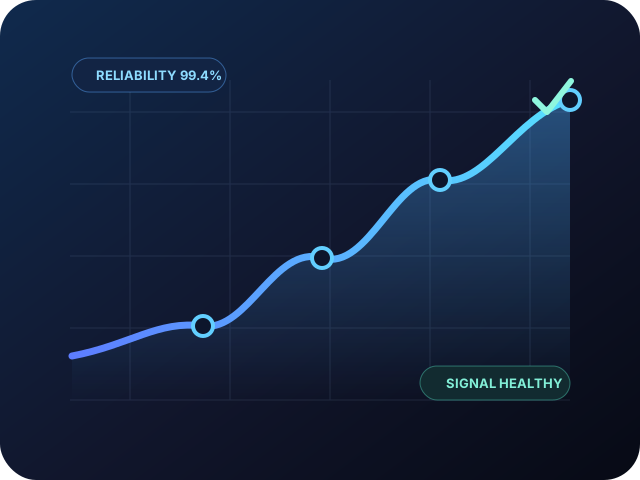 Reliability 99.4%
Signal healthy
Reliability 99.4%
Signal healthy
Real signals. Real impact.
When automation cannot be trusted, teams build workarounds around it.
Engineers merge despite failures because it is probably the tests.
Trust erosionConfigs retry three times by default, inflating duration without fixing root cause.
Signal noiseLong unstable suites delay releases because teams wait for maybe green.
Release delayDuplicate effort because automated checks are not trusted.
Duplicate effortIdentify. Understand. Fix.
Common sources of unreliable signals that erode trust in your release pipeline.
Flaky tests accumulate because there is no metric or team accountable for stability.
Animations, lazy loading, and API latency are not modeled in waits.
Single tests cover too many steps, increasing blast radius of any failure.
Each author picks different locator styles, compounding breakage.
BEST PRACTICES
Trust is a design choice. Follow these proven practices to build a stable, meaningful signal from your automation.
Track flake rate and time-to-fix; treat recurring failures like production bugs.
Shorter tests isolate failures and are easier to shard across CI jobs.
Document patterns; code review tests like product code.
Nightly runs with alerts catch drift before release day.
Built for stability. Delivered by QAlity.
A stable signal needs runs on a predictable schedule and comparable environments, not a longer list of features on every page.
The problem
Suites only run before release, so drift and breakage surface too late
How QAlity fixes it
Group smoke and regression into plans that run nightly or before deploy. Pass/fail trends become meaningful because the suite actually executes on trunk, not only when someone remembers to click Run.
Scheduled plansThe problem
Scheduled runs hit the wrong base URL when staging and production drift apart
How QAlity fixes it
Plans run against the environment they target. Staging smoke does not silently use production URLs. Trends stay meaningful because each cadence compares like-for-like runs.
Multiple environmentsRelated reading
Keep exploring related problem guides and platform comparisons for the same quality challenges.
 Questions, answered
Quick answers to the most common questions teams have before getting started with QAlity.
Noisy CI, ignored test failures, reruns until green, and release decisions made without trusting automated regression.
Flaky tests, environment lottery, shared data collisions, and suites that only run ad hoc before release compound into unreliable pass/fail trends.
Run on a schedule, isolate environments and data, track flake rate, and fix or remove tests that fail without product changes.
Yes. Regular execution on trunk surfaces drift early instead of cramming regression into pre-release chaos.
QAlity scheduled test plans, multi-environment runs, and execution history give teams comparable signals every sprint.
Trim low-value tests, but prioritize fixing or healing high-signal journeys rather than deleting coverage to achieve green builds.
When QA owns maintainable suites with Auto-Heal and clear reports, stakeholders regain confidence in automated regression.
Record, run in the cloud, and recover from UI changes with less manual work.






 BEST PRACTICES